How to Configure Proxmox with SupremeRAID RAID as a Datastore for Virtual Machines #
Environment
RAID Model: All Supreme RAID model
Host Hardware: AMD/Intel
Operating System: Linux Proxmox
Description
Virtualization has become an essential tool for modern computing, enabling multiple virtual machines (VMs) to operate on a single physical machine. Proxmox, an open-source virtualization platform, is widely used to create and manage VMs across various platforms, including Linux. To ensure optimal performance of your Proxmox environment, it's crucial to select a reliable and high-performance storage solution for your VMs. In this article, we will explore the process of configuring Proxmox on Linux to use SupremeRAID RAID as a datastore for your virtual machines.
Resolution
Note: The IOMMU(AMD) or Vd-t (Intel) need to enable in the BIOS to enable the Virtualization
Step1: Attach VD to the virtual machine.
- Create an VD with specific size
To create a RAID-5 virtual drive with 5 NVMe SSDs:
1. Create a physical drive.
$ sudo graidctl create physical_drive /dev/nvme0-4
2. Create a drive group.
$ sudo graidctl create drive_group raid5 0-4
3. Create a virtual drive.
$ sudo graidctl create virtual_drive 0
4. Check the device path of the new virtual drive.
$ sudo graidctl list virtual_drive --dg-id=0
Output example:

Step2: Prepare the mount point for Proxmox datastore.
Note: Use XFS file system for example
1. Format the VD to XFS
$ sudo mkfs.xfs /dev/gdg0n1
2. Create the mount point
$ sudo mkdir -p /mnt/graid
$ sudo mount /dev/gdg0n1 /mnt/grad

Step3: Setup Proxmox datastore via Proxmox GUI
1. Check the Proxmox websever address
2. Select 'Directory' in storage page
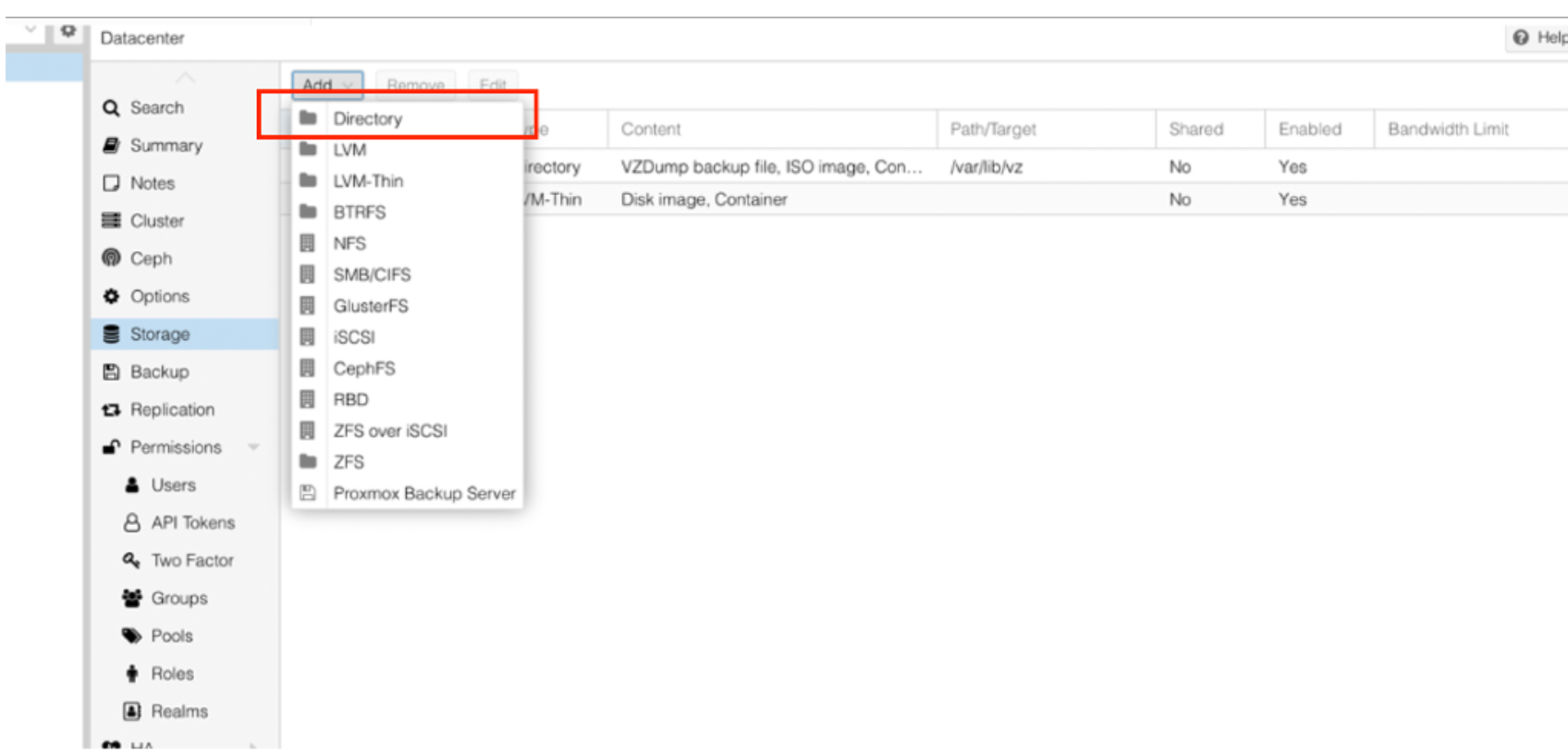
3. Input the needed information and chose the mount point then click "add"
4. Create Virtual Machine
4-1 Click 'Create VM'
4-2 In Disk page, select 'VirtlO Block' and choose the Disk just created
5.Setting the Virtual Machine system parameter then finish